

general
How to Use Party Finder
Explains how to open Party Finder from the quick bar, create a party listing by setting title, level range, and job requirements, and join an open party. Also covers why a listing may show red, and notes that listings disappear once full or when the party leader transfers leadership.
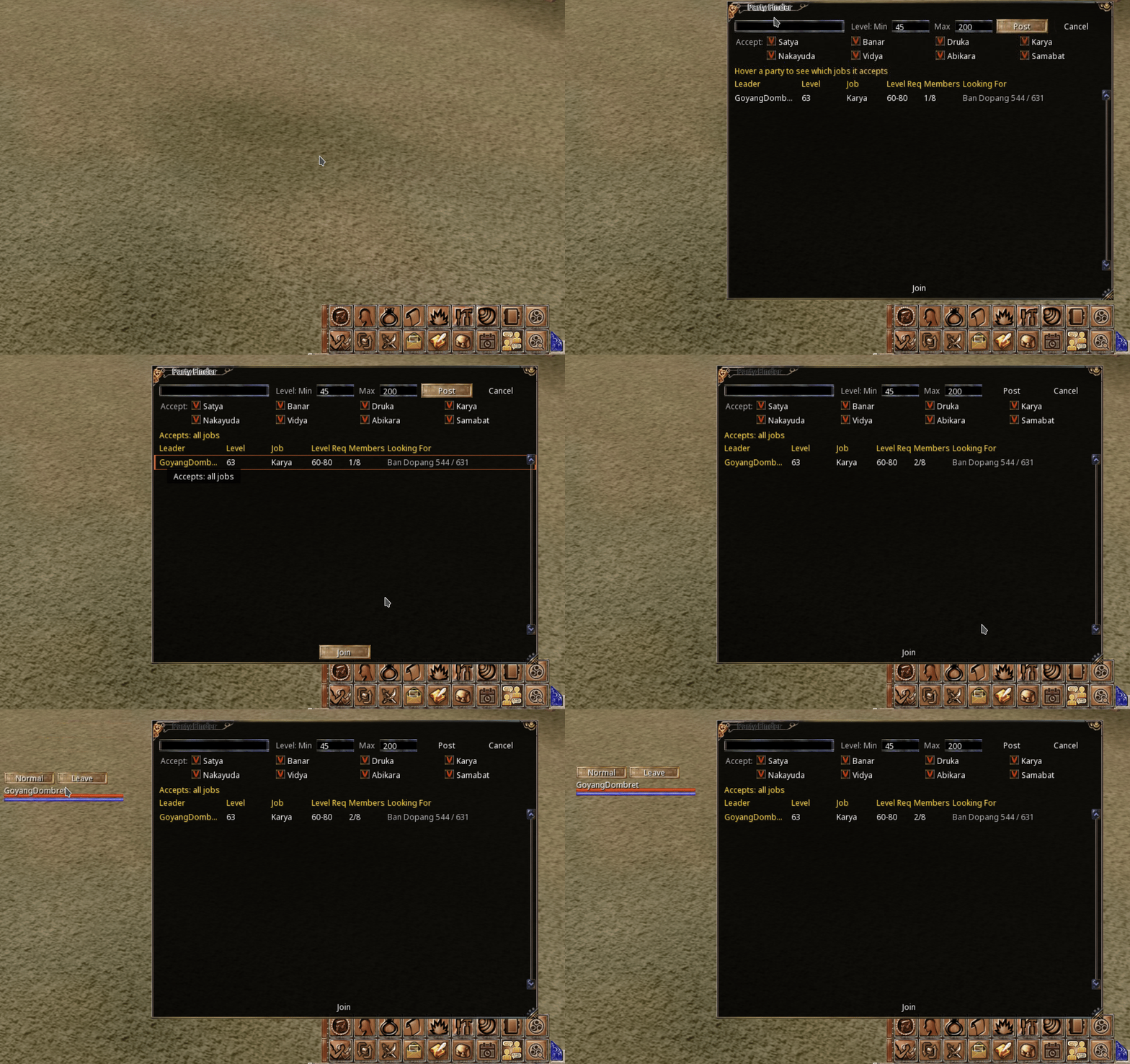
I attached gif on how to use party finder.
Basically you just need to click Party Finder icon in the quick bar.
To create party, enter title, min & max level, what job to accept, click Post.
To join party, in the comment.
To join party, click the Party Finder Icon, click available open slot party listing, then click join.
If the listing is red, it means you are not eligible, either the level requirement or the job accepted.
Note:
- if the party is full, the listing will automatically dissapear
- if you transfer PL before its full, it will dissapear too, new PL need to post the party listing again
Screenshots
What this shows
| Row | Icons (left to right) |
|---|---|
| Top | (unlabeled icons) |
| Bottom | (unlabeled icons) |